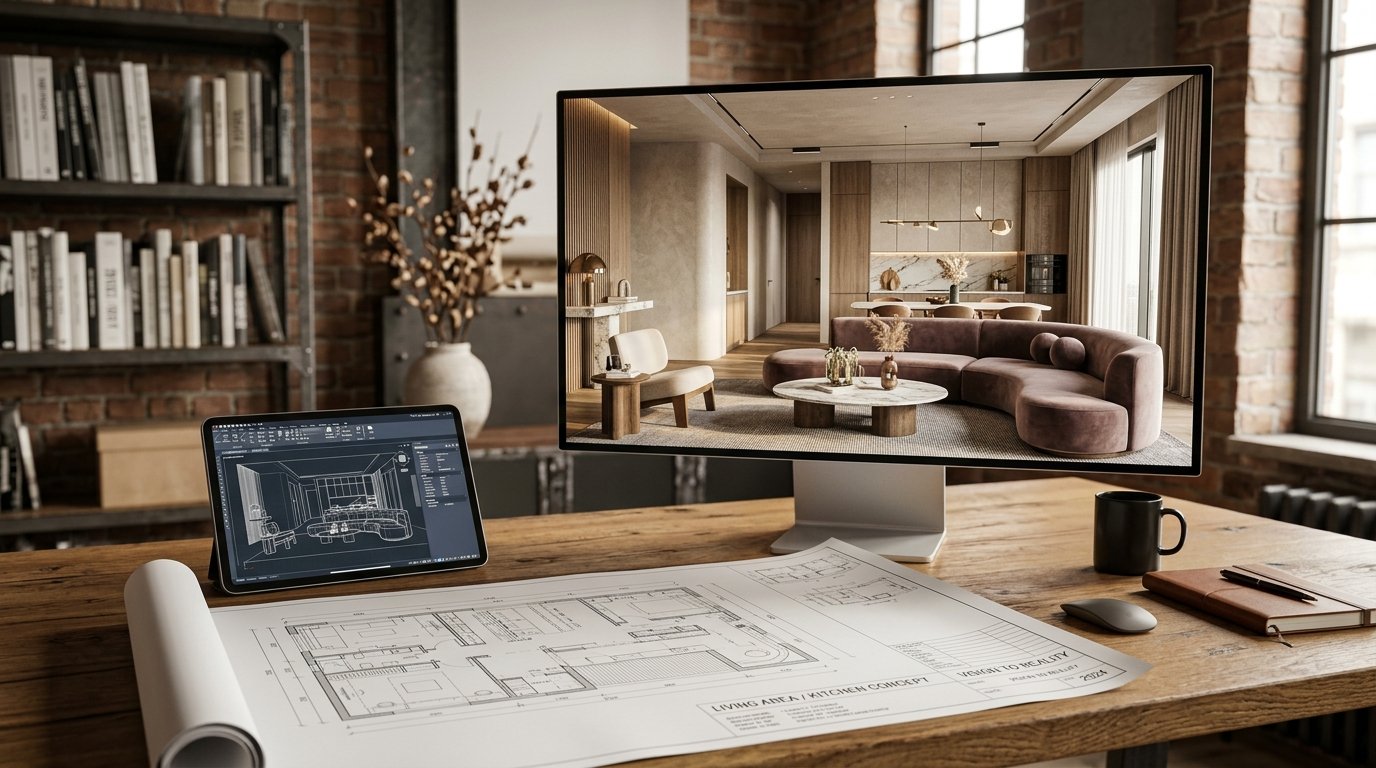
For centuries, the blueprint has been the foundational language of architecture and design. A meticulous, two-dimensional map of lines and symbols, it’s the starting point for every dream home, every innovative structure. Yet, for many homeowners and even seasoned designers, translating those flat lines into a vibrant, living space in their mind’s eye can be a significant challenge. What if you could bridge that gap instantly? What if your simple sketch or floor plan could magically transform into a photorealistic rendering, complete with furniture, textures, and perfect lighting, all at the click of a button?
Welcome to the era of AI sketch rendering, a revolutionary technology that is fundamentally changing how we visualize and create spaces. At ryy.com, we’re harnessing this power, allowing you to take your rudimentary blueprints and elevate them into breathtaking visual representations. Imagine seeing your future living room, your redesigned kitchen, or even an entirely new home facade come to life before a single brick is laid or a single paint can is opened. This is the magic of
The Traditional Struggle: Why Blueprints Aren't Enough
While blueprints are indispensable for construction, they often fall short when it comes to sparking imagination and facilitating clear communication. They speak a technical language that not everyone understands, leading to potential misunderstandings and missed opportunities for creative input.
The Gap Between 2D and 3D Vision
Human brains are wired to perceive the world in three dimensions. Blueprints, however, are flat. This fundamental difference creates a significant hurdle. Homeowners often struggle to imagine the scale of a room, how light will enter, where furniture will fit, or what the overall "feel" of a space will be from a top-down perspective. This disconnect can lead to anxiety and uncertainty about design choices that impact the final outcome.
Communication Barriers and Misunderstandings
Designers, architects, and clients often find themselves in a loop of trying to describe a visual concept with words. "Imagine a cozy reading nook here," or "We want an airy, open feel for the kitchen." While well-intentioned, these descriptions are open to interpretation. What one person envisions as "cozy" another might see as "cramped." This ambiguity can lead to frustration, extended revision cycles, and ultimately, a final result that doesn't fully align with expectations.
Costly Revisions and Delays
The traditional design process often involves multiple stages of manual rendering, revisions, and re-renders. Each change, especially if made late in the design phase, can be time-consuming and expensive. If a client doesn't like the color scheme or the furniture layout in a manually rendered image, the designer must go back to the drawing board, adding to project timelines and budgets. Before AI, the only way to truly "see" the space was often after construction had begun, making significant changes prohibitive.
Enter AI: Transforming Blueprints into Reality
The advent of artificial intelligence has introduced a game-changer to the design world. No longer are we confined to technical drawings or time-consuming manual renders. AI sketch rendering, and specifically
What is AI Sketch Rendering?
AI sketch rendering is a sophisticated technology that uses deep learning algorithms to interpret a simple 2D input – a sketch, a floor plan, a blueprint, or even just a hand-drawn doodle – and transform it into a highly detailed, photorealistic 3D image. The AI understands spatial relationships, infers missing details, and applies chosen styles, textures, and lighting to create a compelling visual representation of a proposed space.
How AI Interprets Your Vision
The process begins with your input. You upload your blueprint or sketch to an AI design platform like ryy.com. The AI then "reads" the lines and shapes, identifying walls, windows, doors, and general room layouts. Based on your chosen style prompts (e.g., "modern industrial," "boho chic," "minimalist," "Scandinavian"), the AI populates the space with appropriate furniture, decor, materials, and lighting conditions. It's not just pasting images; the AI generates entirely new visual information, understanding how light interacts with surfaces, how textures should appear, and how different elements contribute to an overall aesthetic.
Speed, Accuracy, and Artistic Flair
- Unprecedented Speed: What used to take hours or even days for a human renderer can now be achieved in seconds. This allows for rapid iteration and exploration of countless design possibilities.
- Remarkable Accuracy: AI adheres to the spatial dimensions provided in your blueprint, ensuring that the rendered space accurately reflects the layout and proportions.
- Artistic Versatility: AI isn't limited to a single style. By simply changing your text prompt, you can explore entirely different aesthetics for the same blueprint, from classic to contemporary, avant-garde to cozy farmhouse.
Practical Applications for Homeowners and Designers
The power of AI sketch rendering extends across various stages of home design and renovation, offering invaluable benefits to both DIY enthusiasts and seasoned professionals.
Interior Design: Visualizing Layouts, Furniture, and Finishes
Imagine you have a new floor plan and are struggling to decide between a sectional sofa or two armchairs. With AI, you can render your blueprint with both options in moments, seeing exactly how each configuration impacts flow and aesthetics. You can experiment with different flooring materials, paint colors, wallpaper patterns, and even lighting fixtures before making any commitments. This capability is perfect for:
- Furniture Placement: Test different furniture arrangements to optimize space and traffic flow.
- Material Selection: Preview various flooring, wall coverings, and countertop materials in context.
- Color Palettes: Experiment with different paint colors and see their impact on the overall mood and lighting.
- Decor Styling: Get a feel for how different decorative elements will look within your proposed design.
Exterior Design: Seeing Your Home Before it's Built
The exterior of your home is its first impression. Whether you're building a new house or planning an exterior renovation, AI can bring your architectural blueprints to life. Visualize different roofing materials, siding options, window styles, landscaping elements, and even how the house will look under various lighting conditions (day, dusk). This is crucial for:
- New Home Construction: Gain confidence in your architectural plans before breaking ground.
- Facade Renovations: Experiment with new siding, paint colors, window replacements, and front door styles.
- Landscaping Integration: See how proposed garden designs or hardscaping elements complement the home's exterior.
Renovation Projects: Experimenting with Changes Risk-Free
Renovations can be daunting, with many unknowns. AI sketch rendering removes much of that uncertainty. Want to knock down a wall to create an open-concept kitchen? Upload your current floor plan, sketch the proposed changes, and let AI show you the transformed space. This allows you to:
- Visualize Structural Changes: See the impact of removing or adding walls.
- Redesign Layouts: Experiment with new kitchen or bathroom layouts without costly physical mock-ups.
- Budget Wisely: By visualizing the outcome accurately, you can make more informed decisions and potentially avoid expensive changes post-construction.
Maximizing Your Blueprint AI Render Experience with ryy.com
At ryy.com, we’ve made the process of turning your blueprints into beautiful renders incredibly intuitive and powerful. Here’s how you can get the most out of our free AI design tools:
Choosing the Right Input: Sketches, Floor Plans, and Photos
The quality of your output often starts with the quality of your input. For the best
- Clear Line Drawings: Whether it's a hand-drawn sketch or a professional CAD floor plan, ensure lines are clear and distinct.
- Defined Spaces: Clearly mark walls, windows, doors, and any built-in features.
- Simple is Often Better: For initial concepts, a clean, basic layout often works best, allowing the AI to fill in details according to your prompts.
- Existing Photos for Redesigns: If you're renovating an existing space, you can even upload a photo of your current room and prompt the AI to redesign it based on your vision.
Styling Prompts for Perfect Results
Your text prompts are the AI's instructions for styling. Be descriptive and specific to guide the AI towards your desired aesthetic:
- Keywords for Style: "Bohemian living room," "minimalist bedroom," "industrial kitchen," "mid-century modern."
- Material Preferences: "Oak flooring," "marble countertops," "exposed brick wall," "velvet sofa."
- Color Schemes: "Cool tones," "warm neutral palette," "vibrant pops of color."
- Mood and Atmosphere: "Cozy and inviting," "bright and airy," "sophisticated and luxurious."
- Lighting Conditions: "Sunny afternoon light," "soft evening glow," "dramatic spotlights."
For example: "A minimalist living room with large windows, light wooden flooring, a cream sectional sofa, and a subtle green accent wall, filled with bright natural light."
Iteration and Refinement: The AI Design Loop
The beauty of AI is its speed. Don't be afraid to experiment! Upload your blueprint, generate a render, and then tweak your prompt to refine the result. Didn't like the first attempt? Change a word in your prompt, add more detail, or try a completely different style. The iterative process allows you to explore countless options in minutes, helping you hone in on the perfect design for your space.
From Vision to Reality: Your Design Journey Starts Here
The days of struggling to visualize your future home from a complex blueprint are over. With AI sketch rendering, your dreams are no longer confined to lines on a page; they can burst into vibrant, photorealistic life with astounding speed and detail. This technology empowers you to make confident design decisions, communicate your vision clearly, and avoid costly mistakes, all while exploring an infinite canvas of creative possibilities.
Ready to see your blueprints transform into breathtaking designs? Visit ryy.com today and experience the future of home design with our free