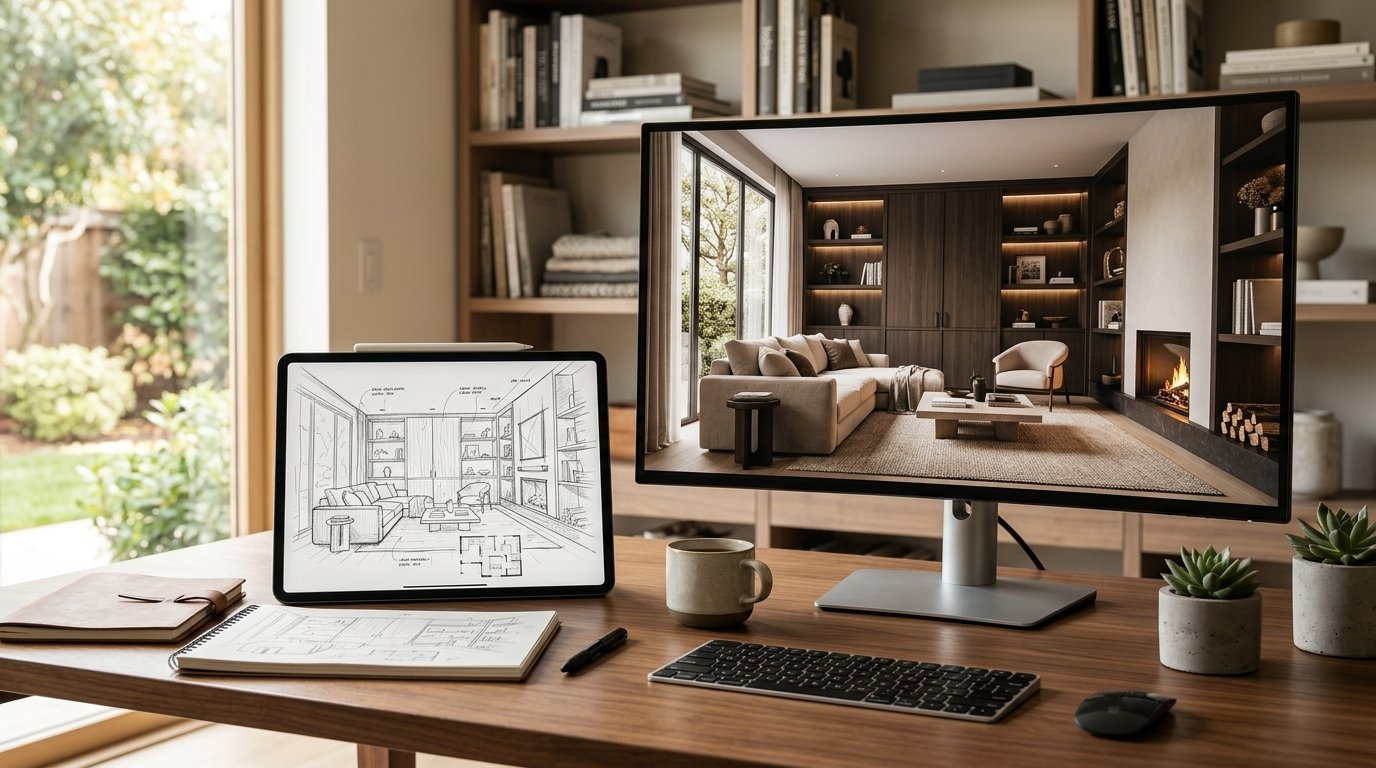
Imagine this: You’ve just finished a brilliant interior design sketch, capturing the essence of your vision with intricate details and a vibrant concept. Now comes the part that often drains precious hours – transforming that beautiful line drawing into a photorealistic render that truly wows clients. For years, this has been a painstaking process, demanding significant time, specialized software skills, and considerable effort. But what if there was a way to bridge the gap between your initial creative burst and a stunning final presentation, saving you countless hours? Welcome to the revolution of AI in sketch render interior design.
At ryy.com, we understand the demands on designers' time and creativity. That's why we've developed free AI design tools designed to supercharge your workflow, turning your hand-drawn concepts or basic digital sketches into professional-grade renders almost instantly. Say goodbye to tedious manual rendering and hello to a faster, more efficient, and incredibly impressive design process.
The Traditional Headache: Why Sketch-to-Render is So Time-Consuming
Before AI stepped onto the scene, the journey from an idea to a polished render was a marathon, not a sprint. Interior designers faced several hurdles that consumed valuable time and resources.
Manual Drafting & Detailing
Once the initial concept sketch was approved, the real work began. Designers would painstakingly recreate the sketch in CAD software, adding precise measurements, structural details, and object placements. Then came the detailing: selecting and applying textures, defining lighting parameters, and adjusting material properties – all done manually, pixel by pixel. This iterative process, involving countless clicks and adjustments, could take anywhere from a few hours to several days for a single space, delaying project timelines and pushing back client presentations.
Software Learning Curves & Workflow Complexity
Achieving photorealistic renders traditionally required mastery of complex 3D rendering software like 3ds Max, V-Ray, Corona Renderer, or Lumion. Each of these platforms comes with a steep learning curve, demanding extensive training and ongoing practice. For many designers, especially freelancers or smaller studios, investing in expensive software licenses and dedicating time to mastering these tools was a significant barrier. The workflow itself was often fragmented, requiring designers to jump between different programs for modeling, texturing, lighting, and final rendering, adding layers of complexity and potential for errors.
Iteration Delays & Client Feedback Loops
One of the most frustrating aspects of the traditional rendering process was the bottleneck it created for client feedback. After presenting an initial render, clients often requested revisions – a different sofa texture, a warmer light, or an alternative wall color. Each change meant going back into the rendering software, making adjustments, and re-rendering the scene, which again took hours. This extended feedback loop could significantly prolong project timelines, frustrate clients eager to see their vision come to life, and put a strain on design budgets. The speed of iteration was directly tied to the manual effort involved, making quick, on-the-fly design explorations nearly impossible.
Enter AI: Revolutionizing the Sketch Render Interior Design Workflow
AI technology has emerged as a game-changer, fundamentally transforming how interior designers approach the sketch render interior design process. By automating many of the time-consuming tasks, AI empowers designers to work faster, more creatively, and with unprecedented efficiency.
Instant Transformation: From Line Art to Photorealism
The most compelling benefit of AI in rendering is its ability to instantly convert a simple sketch into a highly detailed, photorealistic image. Imagine drawing a basic outline of a living room, indicating furniture placement and windows. With AI, you can upload that sketch, and within moments, receive multiple render options, complete with realistic textures, lighting, and shadows. This isn't just about speed; it's about accelerating the conceptualization phase, allowing designers to visualize ideas with astonishing clarity right from the outset.
Enhanced Detailing & Material Application
AI algorithms are trained on vast datasets of interior spaces, materials, and lighting conditions. This enables them to intelligently interpret your sketch and apply appropriate details. A simple rectangle indicating a sofa can be rendered as a plush velvet couch; a few lines for a window become a fully detailed window frame with natural light streaming in. AI can suggest and apply textures, patterns, and material finishes that complement the design, saving designers the painstaking effort of manually texturing every surface. This not only enhances realism but also opens up new avenues for material exploration without the commitment of manual application.
Rapid Iteration & Design Exploration
The traditional bottleneck of client revisions is virtually eliminated with AI. If a client wants to see a different flooring option or a change in wall color, designers can simply input these preferences into the AI tool. The AI can then generate new renders in minutes, allowing for rapid experimentation and exploration of various design alternatives. This agile approach fosters better communication with clients, enabling them to make informed decisions quickly and confidently. Designers can present multiple design options in a fraction of the time, leading to more collaborative and satisfying project outcomes.
Bridging the Gap: Communicating Vision Effectively
The power of a photorealistic render lies in its ability to tell a story and evoke emotion. While a sketch is excellent for conveying ideas to fellow designers, it often falls short in communicating the full emotional impact and practical details to clients who may struggle to visualize from abstract lines. AI renders bridge this gap by providing visually stunning representations that leave no room for misinterpretation. Clients can see exactly what their space will look like, feel the ambiance, and understand the design intent, leading to quicker approvals and a shared vision.
How ryy.com's AI Tools Supercharge Your Design Process
At ryy.com, we've harnessed the power of advanced AI to create intuitive, user-friendly tools that democratize high-quality rendering for every interior designer. Our platform is designed to seamlessly integrate into your existing workflow, making the leap from sketch to render easier than ever before.
Effortless Upload & AI Interpretation
Our process begins with simplicity. You can upload any sketch – be it a hand-drawn doodle captured with your phone, a basic floor plan from your CAD software, or a simple digital drawing. ryy.com's AI instantly analyzes your input, understanding the spatial relationships, object placements, and design intent. It intelligently interprets your lines and shapes, transforming them into a foundational 3D scene ready for styling.
Customizable Styles & Material Libraries
Once your sketch is interpreted, the real magic happens. Our platform offers a wide array of customizable styles and an extensive material library. Want a minimalist modern look? Or perhaps a rustic farmhouse feel? Our AI can apply these styles, complete with appropriate furniture, lighting, and material finishes, in moments. You can experiment with different wall colors, flooring types, furniture fabrics, and decorative elements with a few clicks, instantly visualizing how each choice impacts the overall aesthetic. This level of customization allows you to maintain your unique design voice while leveraging AI for speed and efficiency.
Free Access to Professional-Grade Rendering
Perhaps the most compelling aspect of ryy.com is that our powerful AI design tools are completely free to use. We believe that professional-grade rendering should be accessible to everyone, from seasoned interior design veterans to aspiring enthusiasts. This eliminates the financial barrier of expensive software licenses and the time commitment of learning complex programs. You get instant, high-quality renders that impress clients and elevate your portfolio, all without any cost. It's an unparalleled opportunity to enhance your design capabilities and impress clients without breaking the bank.
Practical Tips for Maximizing AI in Your Sketch-to-Render Journey
While AI makes rendering incredibly easy, a few best practices can help you get the most out of tools like ryy.com's and truly revolutionize your design process.
Start with Clear Sketches
Even though AI is intelligent, it performs best with clear input. A neat, well-defined sketch, even if simple, will yield more accurate and refined initial renders. Clearly define walls, windows, doors, and major furniture pieces. The clearer your initial lines, the better the AI can interpret your spatial layout and design intent.
Experiment with AI Styles
Don't just stick to one style! ryy.com offers a variety of aesthetic options. Play around with different styles, from "Scandinavian Minimal" to "Boho Chic" or "Industrial Loft." This rapid experimentation can uncover design directions you hadn't considered and provide diverse options for your clients.
Utilize AI for Early-Stage Concept Validation
AI renders aren't just for final presentations. Use them in the very early stages of a project to validate concepts. Quickly sketch an idea, generate a render, and see if the proportions, flow, and general ambiance work. This allows you to identify and fix potential issues long before they become costly problems, saving significant time down the line.
Combine AI with Traditional Methods
AI is a powerful assistant, not a replacement for your creativity. Use AI to generate foundational renders and then enhance them with your unique touches using traditional graphic design software. You might add specific bespoke elements, fine-tune certain details, or integrate personal artistic flourishes to make the final output truly yours.
Learn from Every Render
Each render you generate, especially when experimenting with different styles and parameters, offers an opportunity to learn. Pay attention to how the AI interprets your sketches and how different inputs affect the output. This continuous learning will refine your ability to prompt the AI effectively and achieve your desired results faster.
Conclusion: Embrace the Future of Sketch Render Interior Design
The days of spending countless hours painstakingly rendering interior design sketches are rapidly becoming a relic of the past. AI technology has ushered in a new era of efficiency, creativity, and accessibility for interior designers. By leveraging AI, you can transform your initial concepts into stunning, photorealistic visuals in minutes, not days.
The ability to rapidly iterate, explore diverse design options, and communicate your vision with unparalleled clarity empowers you to impress clients, streamline your workflow, and ultimately deliver exceptional design projects faster than ever before. The future of sketch render interior design is here, and it's powered by AI.
Ready to experience the transformation for yourself? Start saving hours and unlock your full creative potential today. Visit ryy.com and try our free AI design tools to turn your sketches into incredible renders – no software downloads, no complex learning curves, just instant design magic!