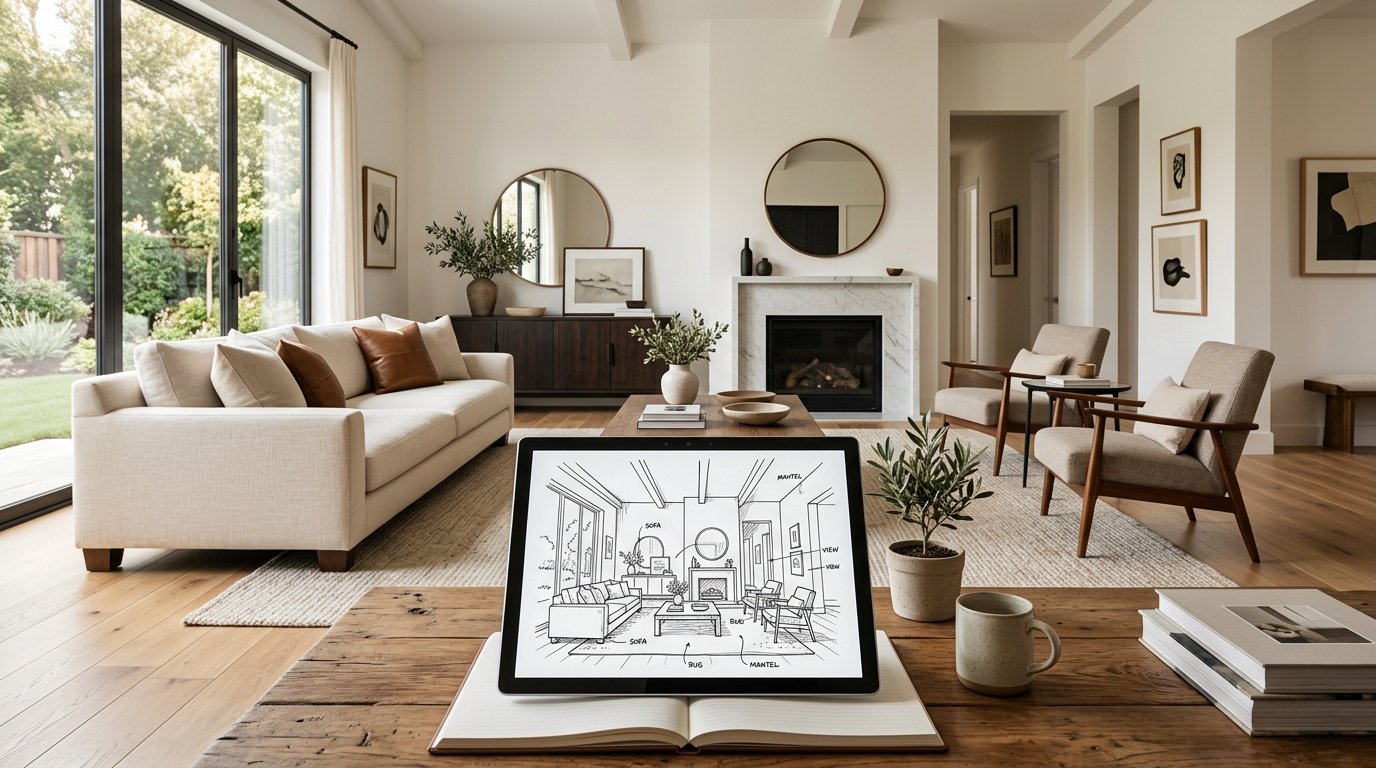
There's a unique magic in a hand-drawn sketch. The raw emotion, the immediate translation of an idea from mind to paper – it's where countless interior design journeys begin. But what if those initial scribbles, those rough outlines of your dream living room or kitchen, could instantly leap off the page and transform into a breathtaking, photorealistic image? This isn't science fiction; it's the incredible reality of sketch to render AI.
For homeowners envisioning a renovation, for interior design enthusiasts experimenting with new styles, or for professionals seeking to streamline their workflow, the traditional gap between a concept sketch and a polished visualization has always been a significant hurdle. Until now. AI technology is revolutionizing how we bring ideas to life, making stunning, high-quality renders accessible to everyone, directly from their simple hand drawings.
At ryy.com, we understand the power of your creative spark. That's why we've harnessed cutting-edge AI to bridge this gap, allowing you to turn your most basic sketches into incredibly detailed, photorealistic rooms with just a few clicks. Say goodbye to expensive software and steep learning curves – your imagination is now the only limit.
The Timeless Appeal of a Hand Sketch in Interior Design
Before diving into the marvels of AI, let's acknowledge the enduring value of the hand sketch. For centuries, designers have relied on the immediacy and intimacy of pen and paper to capture ideas, explore layouts, and communicate initial concepts. It's a fundamental part of the creative process.
The Unmatched Freedom of the Pen
A hand drawing offers unparalleled freedom. There's no software to learn, no complex menus to navigate. You simply pick up a pencil and let your creativity flow. It’s perfect for brainstorming, quickly trying out different furniture arrangements, or sketching the general flow of a room. Whether it's a quick doodle on a napkin or a more detailed blueprint, a hand sketch allows for rapid iteration and personal expression. It helps you solidify your thoughts and communicate the essence of your design before committing to more detailed work.
Where Traditional Sketches Fall Short
While invaluable for ideation, hand sketches have inherent limitations when it comes to visualization and communication. They lack realism, making it difficult for others (or even yourself) to truly "see" the finished space. Color, texture, lighting – these crucial elements that define a room's atmosphere are often difficult to convey accurately in a 2D drawing. Furthermore, if you want to make changes or explore variations, you often have to redraw significant portions, which is time-consuming and inefficient. Presenting a hand drawing to a client or even your spouse often requires a significant leap of faith in their imagination, as they try to interpret your vision from lines on paper.
Enter Sketch to Render AI: Bringing Visions to Life
This is where the magic of sketch to render AI steps in. Imagine taking that same hand-drawn sketch and, within seconds, seeing it transformed into a vibrant, fully furnished, and perfectly lit room that looks like a photograph. This technology isn't just a gimmick; it's a powerful tool that democratizes high-end visualization.
How AI Transforms Your Drawings
The core principle behind sketch to render AI is complex machine learning algorithms trained on vast datasets of interior spaces, furniture, textures, and lighting conditions. When you upload a hand drawing, the AI doesn't just "colorize" it. Instead, it analyzes the lines, shapes, and implied perspectives in your sketch and intelligently interprets them to generate a 3D scene. It understands that a rectangle on the wall might be a window, a set of lines in the corner could be a sofa, or a series of concentric circles might represent a light fixture. Then, based on your chosen style prompts (e.g., "modern minimalist," "boho chic," "industrial loft"), it "fills in" the details, adding appropriate furniture, materials, lighting, and decor elements to create a cohesive and realistic image. It essentially acts as your personal, super-fast 3D artist and stylist.
Beyond Basic Visualization: The Benefits
- Unprecedented Speed: What used to take hours or even days for a professional 3D artist can now be achieved in seconds.
- Cost-Effective: Eliminates the need for expensive rendering software or hiring external visualization specialists for initial concepts.
- Accessibility: No technical design skills required. If you can sketch, you can render.
- Experimentation Made Easy: Generate multiple variations of your design with different styles, colors, and layouts almost instantly.
- Enhanced Communication: Present your ideas with stunning clarity and realism, ensuring everyone is on the same page.
- Reduced Rework: Identify potential issues or make design decisions much earlier in the process, saving time and resources down the line.
Your Journey from Sketch to Stunning Render with ryy.com
ryy.com makes the process of turning your hand drawings into photorealistic rooms incredibly simple and intuitive. Here’s a step-by-step guide to unleash the power of our free AI design tools:
Step 1: The Foundation – Your Hand Sketch
Start with your hand-drawn sketch. Don't worry about perfection; simple lines are often best. You can sketch a bird's-eye view floor plan, an elevation (looking directly at a wall), or even a basic perspective sketch of a room. Focus on the main elements: walls, windows, doors, and the general placement of key furniture pieces. The clearer your sketch, the better the AI can interpret it, but even rough doodles can yield impressive results.
Step 2: Upload and Define Your Vision
Once your sketch is ready, simply snap a clear photo of it with your smartphone or scan it, then upload it to ryy.com. Our platform is designed for ease of use. Next, you'll be prompted to provide some context:
- Room Type: Is it a living room, kitchen, bedroom, bathroom, office, or exterior?
- Design Style: Choose from a wide array of popular styles like "Modern," "Minimalist," "Bohemian," "Industrial," "Scandinavian," "Farmhouse," "Traditional," and many more. This is where you infuse your sketch with a distinct aesthetic.
- Additional Prompts (Optional): Want to add specific details? You can type in prompts like "add a fireplace," "use warm lighting," "include a large plant," or "wooden floors."
Step 3: Let ryy.com's AI Work Its Magic
With your sketch uploaded and preferences set, hit the "Generate" button. Our powerful AI takes over, analyzing your lines, understanding your stylistic choices, and meticulously crafting a photorealistic render. In a matter of seconds, you'll see your hand-drawn concept transformed into a vibrant, fully detailed image. It's truly a magical moment!
Step 4: Refine and Iterate
The first render is just the beginning. At ryy.com, you can generate multiple variations, tweak your style prompts, or even adjust elements based on the initial output. Not quite right? Change the style from "Modern" to "Industrial" and see an entirely new interpretation. Want different furniture? Add a prompt like "Mid-century modern sofa" and re-render. This iterative process allows you to fine-tune your vision until it perfectly matches your dream room.
Unlocking Infinite Design Possibilities
The application of sketch to render AI extends far beyond simple room visualization. It's a game-changer for anyone involved in design, renovation, or home improvement.
Visualizing Entire Home Renovations
Imagine planning a complete home overhaul. With ryy.com, you can sketch out each room – kitchen, living room, bedrooms, bathrooms – and instantly generate renders for all of them. This holistic view helps you ensure continuity in design style, material choices, and overall aesthetic across your entire home. It helps you make informed decisions before any physical work begins, avoiding costly mistakes.
Experimenting with Styles and Layouts
Are you torn between a minimalist aesthetic and a cozy bohemian vibe for your living room? Or perhaps you're debating between an open-plan kitchen and a more defined dining area? Sketch it out both ways, feed them into ryy.com, and see photorealistic comparisons side-by-side. This capability empowers you to explore countless design iterations without committing to any particular expensive design software or physical changes.
Presenting Ideas with Professionalism
For aspiring designers or homeowners collaborating with contractors, presenting a polished, photorealistic render elevates the entire conversation. Instead of explaining abstract concepts, you can show exactly what you envision. This clarity minimizes misunderstandings, helps contractors accurately bid on projects, and ultimately leads to smoother execution and a result that truly reflects your original intent. You can even use these renders for virtual staging of properties, making them more appealing to potential buyers.
Practical Tips for Optimal AI Rendering
While ryy.com's AI is incredibly smart, a little preparation can go a long way in getting the best possible results from your hand sketches:
- Keep it Clear and Simple: The AI works best with clean, discernible lines. Avoid overly cluttered or messy sketches. Focus on the main architectural elements and key furniture pieces.
- Focus on Key Elements: Clearly define walls, windows, doors, and major furniture outlines. These are the anchors the AI uses to build its 3D interpretation.
- Consider Proportions (Roughly): While not strictly necessary, sketching elements in roughly correct proportion to each other can help the AI generate a more believable and balanced room.
- Use Good Lighting for Your Photo: If you're photographing your sketch, ensure it's well-lit and free of shadows to maximize clarity for the AI's interpretation.
- Don't Be Afraid to Iterate: If your first render isn't perfect, tweak your sketch, adjust your style prompts, or add more specific text prompts. The beauty of AI is its speed, allowing for endless experimentation.
- Experiment with Perspectives: Try sketching from different angles – an eye-level view, a corner view, or even a simple top-down floor plan – to see how the AI interprets each.
Conclusion: Your Creative Vision, Unleashed
The future of interior design visualization is here, and it's powered by AI. Gone are the days when photorealistic renders were exclusive to design professionals with expensive software. With sketch to render AI, your hand-drawn ideas can instantly transform into stunning, tangible realities.
ryy.com is committed to putting this powerful technology directly into your hands, for free. Whether you're planning a full-scale renovation, experimenting with new design ideas, or simply dreaming up your perfect space, our intuitive AI tools make the process enjoyable, efficient, and incredibly rewarding. Stop imagining and start seeing your dream rooms come to life.
Ready to turn your sketches into stunning renders? Visit ryy.com today and try our free AI design tools!