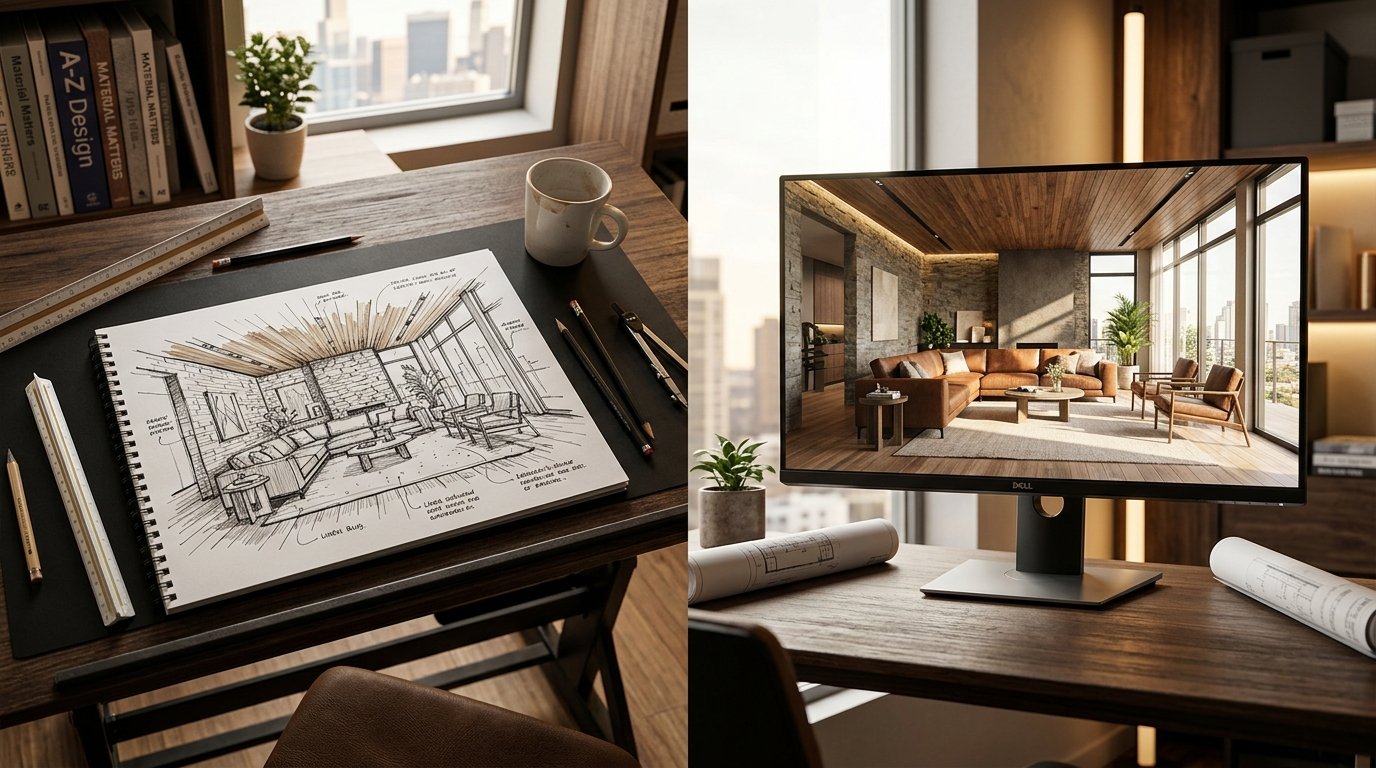
As an interior design student, you know the grind: hours spent perfecting hand sketches, wrestling with complex 3D modeling software, and waiting ages for renders to complete. The journey from a nascent idea on paper to a stunning, photorealistic visualization can be exhausting, often consuming precious time that could be better spent on design conceptualization and refinement. But what if there was a way to bridge that gap efficiently, transforming your initial sketches into polished renders with unprecedented speed and realism?
Enter the world of student interior design AI. This revolutionary technology is changing how design students approach their projects, offering a powerful shortcut from basic sketch to professional-grade render. At ryy.com, we're dedicated to empowering the next generation of designers with intuitive AI tools that streamline your workflow, elevate your presentations, and free you to focus on what you do best: designing incredible spaces. Let's explore how AI can become your ultimate design partner.
The Traditional Rendering Grind vs. AI's Workflow Revolution
For decades, the process of visualizing an interior design concept has followed a relatively fixed path. While incredibly valuable for skill development, it's also incredibly time-consuming. Understanding these traditional hurdles helps highlight the transformative power of AI.
From Hand Sketch to Digital Blueprint: The First Step
Every great design begins with an idea, often captured in a quick sketch. These initial drawings are crucial for conceptualization, scale, and spatial relationships. Traditionally, after sketching, students would move to more refined technical drawings, then often to 2D CAD software to create floor plans and elevations, ensuring precision and accuracy before embarking on the 3D phase.
The Time Sink of Manual 3D Modeling and Rendering
Once the 2D plans are solid, the real time investment begins: translating those into a 3D model. This often involves learning complex software like SketchUp, Revit, 3ds Max, or Rhino. Creating detailed models with furniture, textures, and lighting can take days, even weeks, for a single room. After modeling comes rendering—the process of generating a 2D image from a 3D model. This step alone can involve meticulous setup of camera angles, material properties, lighting, and rendering engine settings. Even with powerful computers, a single high-quality render can take hours to complete, often leaving students with limited time for iterations or exploring multiple design options.
This traditional cycle, while essential for foundational skills, presents significant bottlenecks for students facing tight deadlines and limited resources. It often forces compromises, with students opting for simpler visualizations over photorealistic ones due to time constraints.
How Student Interior Design AI Transforms Your Project Workflow
This is where student interior design AI shines. Imagine taking your rough sketch, uploading it, and within minutes, seeing a photorealistic render of your design. This isn't science fiction; it's the reality offered by platforms like ryy.com. Our AI tools bridge the gap between your initial creative burst and a stunning final presentation, fundamentally changing your approach to design student projects.
Uploading Your Vision: The Initial Sketch
The process begins with your creative input. You can start with a simple hand-drawn sketch of a room layout, a floor plan, or even a mood board. The key is to convey your core design idea. Unlike traditional methods that require precise 2D drawings first, AI tools are often more forgiving and can interpret a less formal visual input. You might also use a basic 2D digital drawing or even a photo of an existing space you want to redesign.
For example, if you're designing a minimalist living room, your sketch might include the general placement of a sofa, coffee table, and shelving unit. The AI doesn't need perfect perspective or exact dimensions at this stage; it needs the essence of your layout and intended function.
AI Takes Over: From Lines to Lived-In Spaces
Once your sketch or image is uploaded to ryy.com, our AI technology gets to work. You'll specify parameters such as the room type (e.g., bedroom, kitchen, office), the desired interior design style (e.g., Scandinavian, industrial, modern, bohemian), and even specific material preferences if you have them. The AI then uses its vast knowledge base of design principles, furniture, and materials to interpret your input.
It acts like an incredibly fast, highly skilled digital architect and interior designer, translating your two-dimensional lines into a fully rendered, three-dimensional space. It generates realistic lighting, applies appropriate textures, and places furniture that aligns with your chosen style, all while respecting the spatial relationships in your initial sketch. This process, which would take hours or days manually, is completed in mere moments. Try ryy.com's free AI tools today!
Iteration and Refinement: AI as Your Design Assistant
One of the most powerful aspects of using AI for your design projects is the ease of iteration. Received a render but want to see what it looks like with a different wall color? Or a different flooring material? Or a completely different furniture arrangement? Instead of starting from scratch, you can adjust your text prompts or upload a slightly modified sketch, and the AI will generate new variations almost instantly. This rapid prototyping allows you to explore countless design options, compare different aesthetics, and refine your vision with incredible speed.
Imagine being able to present your professor with not just one, but three distinct design directions for a client, each fully rendered and styled, showcasing your versatility and exploration. This level of rapid iteration is nearly impossible with traditional architectural rendering software for students.
Maximizing Your Grades with AI-Powered Renders
For interior design students, presentation is everything. A compelling visual can elevate your project from good to outstanding. AI-powered renders offer significant advantages that can directly impact your academic success.
Achieving Photorealism on a Student Budget
High-quality, photorealistic renders were once the exclusive domain of professional studios with expensive software and powerful workstations. Now, platforms like ryy.com democratize this capability. Our free AI design tools allow you to generate stunningly realistic visuals without investing in costly licenses or hardware. This means your student projects can achieve a level of visual fidelity that truly brings your designs to life, impressing instructors and potential clients alike.
The Power of Multiple Design Options (Fast!)
When you're designing for a client (even a hypothetical one for a project), being able to present multiple viable options demonstrates a thorough understanding of their brief and your creative range. With 3D rendering for students, the time constraint often limits you to one or two well-developed options. AI removes this barrier. You can quickly generate variations on a theme, experiment with different material palettes, or show how the same space could adapt to various functions. This not only enhances your presentation but also deepens your understanding of design adaptability.
Presenting Professional-Grade Visuals
Your ability to communicate your design vision effectively is paramount. AI-generated renders offer a polished, professional aesthetic that can significantly elevate your project presentations. They provide a clear, unambiguous visualization of your proposed space, making it easier for your audience to understand and appreciate your design choices. This professional presentation can set your work apart and demonstrate a forward-thinking approach to design technology, an increasingly valuable skill in the industry.
Practical Tips for Integrating AI into Your Design Student Projects
Ready to supercharge your design process? Here are some practical tips for effectively using AI in your interior design projects:
- Start with a Clear Vision: While AI is powerful, it's not a mind-reader. The better your initial sketch or prompt, the more aligned the AI's output will be with your intent. Focus on layout, key furniture pieces, and overall mood.
- Master Your Prompts: Experiment with descriptive text prompts. Instead of just "modern living room," try "Scandinavian minimalist living room with natural wood accents and a large, cozy rug, overlooking a city skyline." The more detail, the better.
- Use AI for Rapid Iteration: Don't settle for the first render. Use the AI to quickly generate multiple options for layouts, material schemes, or furniture arrangements. This is where the true time-saving power lies.
- Learn from the AI: Pay attention to how the AI interprets different styles and material combinations. This can be a valuable learning tool, exposing you to new ideas and reinforcing your understanding of design principles.
- Combine AI with Manual Refinement: AI is a tool, not a replacement for your design skills. Use AI for the heavy lifting of rendering, then use your graphic design software (Photoshop, etc.) to add personalized touches, subtle adjustments, or integrate other elements like custom artwork.
- Focus on Storytelling: Even with stunning visuals, your project still needs a narrative. Use your AI renders to tell the story of your design, explaining your choices and how the space functions for its inhabitants.
- Leverage ryy.com's Free Tools: Take full advantage of the free AI design tools available on ryy.com. Experiment with different features and see how they can enhance various stages of your project workflow. It's a risk-free way to explore the future of design.
Conclusion: The Future of Student Interior Design AI is Here
The journey from a blank page or a rough sketch to a fully realized, photorealistic interior design render has never been more accessible or efficient. Student interior design AI is not just a passing trend; it's a transformative technology that empowers you to visualize your concepts with unparalleled speed and realism, giving you a significant edge in your academic pursuits and future career.
By integrating AI tools into your workflow, you can move beyond the tedious hours of manual rendering and dedicate more time to the creative problem-solving and conceptual development that truly define great design. ryy.com is committed to providing you with the intuitive, powerful AI resources you need to excel. Take your interior design projects to the next level, impress your professors, and prepare for a future where AI is an indispensable part of the design process.
Ready to transform your sketches into stunning renders in minutes? Explore the free AI design tools at ryy.com today and unlock your full design potential!